
ACV 42SVW002-0 Volkswagen Steering Stalk Control Adaptor Phone Button Support
- Availability:In Stock
- Available:7 in stock
- Item Condition:New
- Brand:ACV
- Product Code:42SVW002-0
- Other Part #:CTSVW002.2
- EAN / UPC:7427307017846
- Warranty:1 Year Warranty
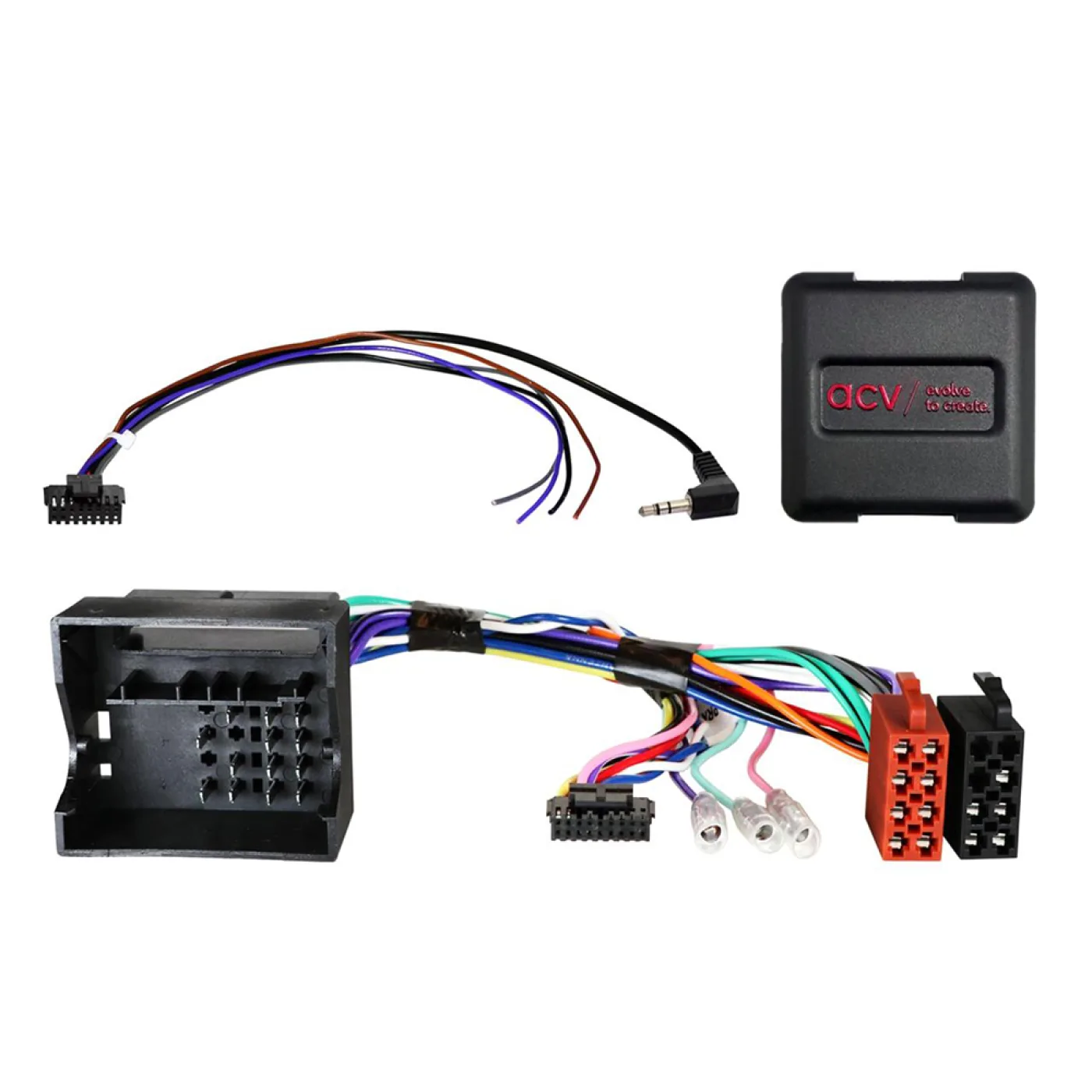
Steering Wheel Control Interface Adaptor. Connecting to the original radio connector and plugging in to the back of the new head unit is simple to fit.
A stalk/steering wheel control adaptor allows you to upgrade to an aftermarket head unit whilst maintaining use of your factory steering wheel controls or fitted on a stalk next to the steering wheel.
Product Compatibility Chart
| Make | Model | Years | Notes |
|---|---|---|---|
| Volkswagen | Amarok | 2009 - 2016 | Audio 10 |
| Volkswagen | EOS | 2006 - 2015 | (1F) |
| Volkswagen | Fusca | 2005 - 2011 | Brazil |
| Volkswagen | Golf | 2003 - 2013 | MK6 |
| Volkswagen | Golf | 2003 - 2013 | MK5 |
| Volkswagen | Jetta | 2005 - 2015 | |
| Volkswagen | Magotan | 2005 - 2011 | Asia |
| Volkswagen | Passat | 2005 - 2015 | (B6, 3C) (B7, 3C36) Gamma/Beta/MFD/MCD |
| Volkswagen | Polo | 2005 - 2014 | 9N) (9N3) (6R) |
| Volkswagen | Sagitar | 2005 - 2011 | China |
| Volkswagen | Scirocco | 2008 - 2015 | |
| Volkswagen | Suran | 2009 - 2021 | |
| Volkswagen | Tiguan | 2007 - 2015 | (5N) |
| Volkswagen | Touareg | 2006 - 2012 | |
| Volkswagen | Touran | 2003 - 2015 | |
| Volkswagen | Transporter | 2003 - 2015 | |
| Volkswagen | UP! | 2011 - 2016 | (VW120) |
| Volkswagen | Vento | 2005 - 2011 | Mexico |
Headunit: RCD200/300/310/500/510
Connection: Quadlock (Fakra)
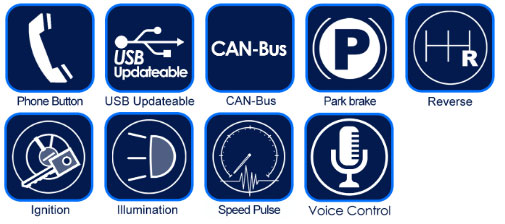
Features & Benefits
- Allows you to upgrade to an aftermarket head unit whilst maintaining use of your factory steering wheel controls
- Safety: Allows you to keep your hands on the steering wheel and eyes on the road.
- Maintains the original features of the vehicle such as date, time and temperature display
- Choose the relevant head unit connection lead according to the make of aftermarket head unit you wish to fit
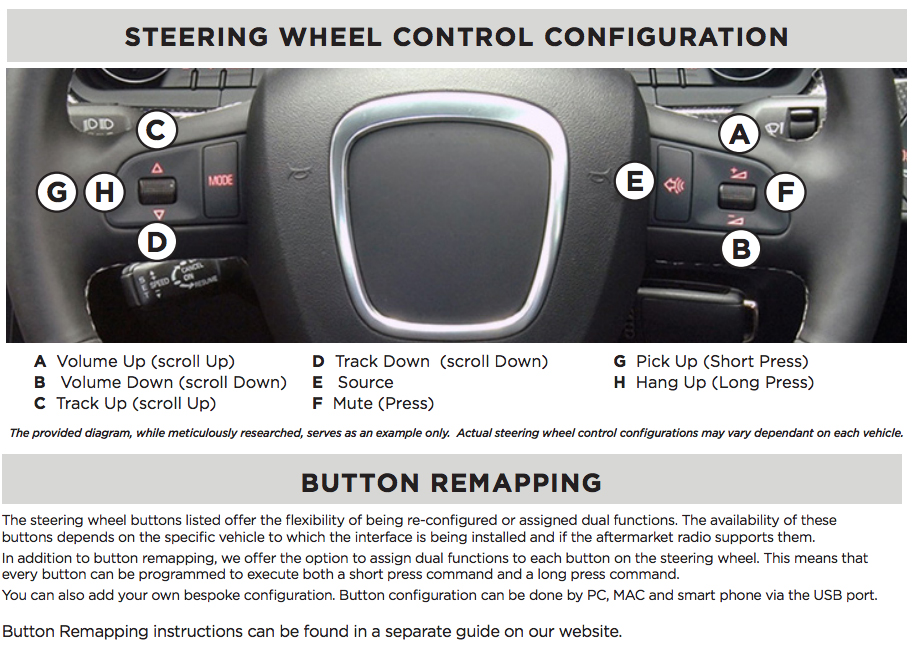
- For interfaces where phone buttons are supported, the following brands allow pick up/hang up in Bluetooth mode: Alpine, Clarion, Kenwood, Pioneer and Zenec. Please see icon list below to see if this interface supports phone buttons.
- Please check the connections in the vehicle match the harness you are purchasing
What's Included
- 42SVW002-0 Steering Control Adaptor
- FREE Stereo Patch Lead
Connection Guide
Before Installation
Prior to installing the interface, it is essential to remove and disconnect the factory stereo. For guidance on this process, please refer to the vehicle owner’s manual/handbook or seek assistance from a professional.
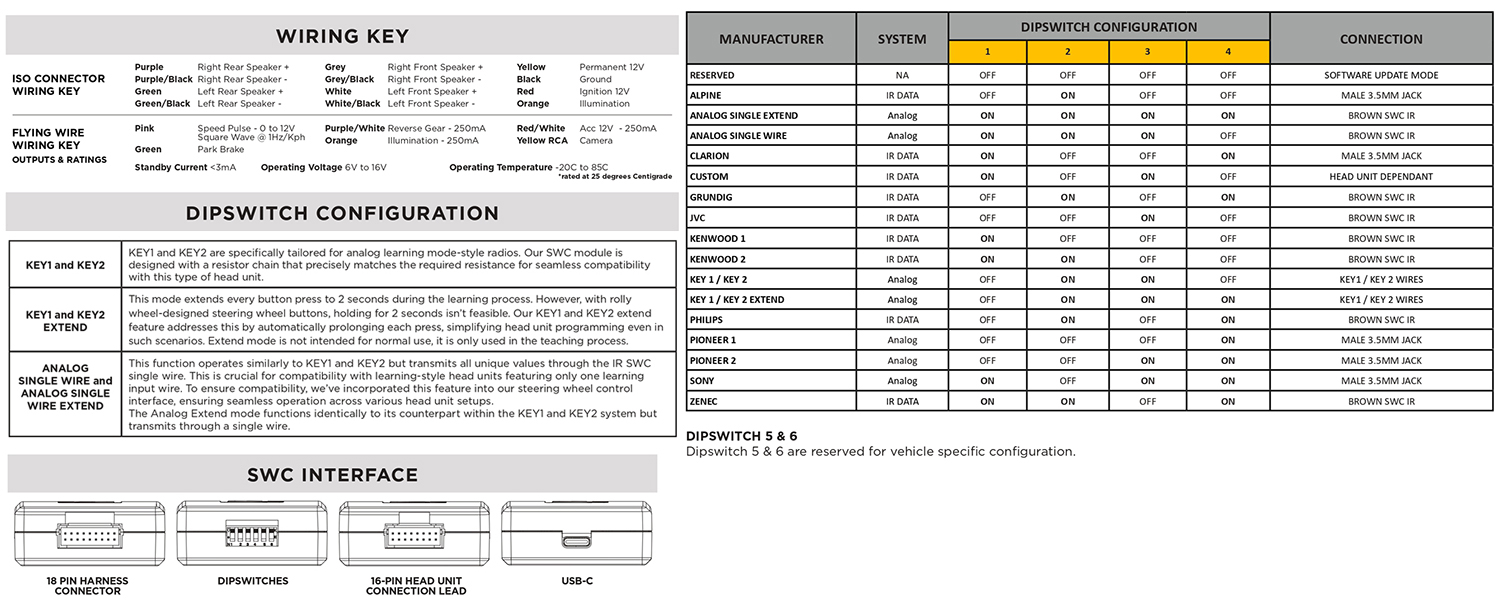
Setting the Dip Switches
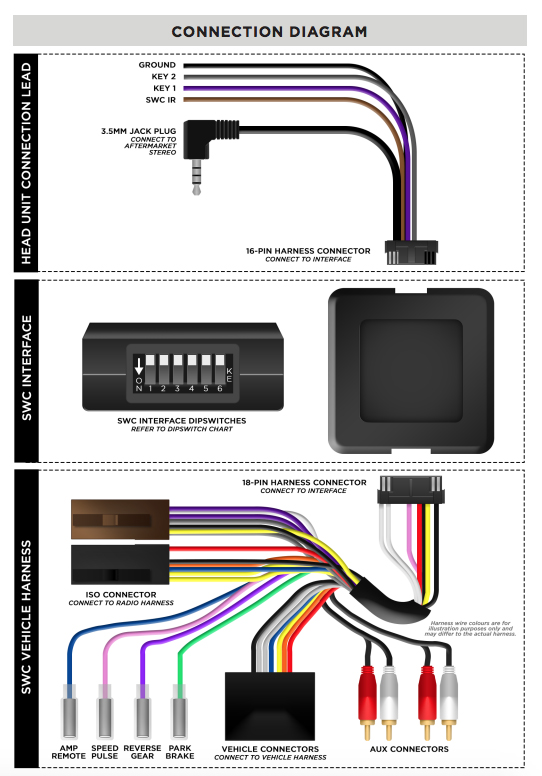
This interface includes a set of dipswitches. Consult the dipswitch selection guide to select the appropriate configuration. To activate a dipswitch, press it downward into the ‘ON’ position. Refer to the diagram for an example of the ‘KENWOOD1’ dipswitch configuration.
Installation
1. Take the interface, then connect the 16-PIN head unit connection lead and the 18-PIN steering wheel harness connectors to their respective ports.
2. Connect the head unit connection lead to the steering wheel remote input on the rear side of the aftermarket stereo. Connection methods vary based on the stereo brand, utilising either a 3.5mm jack connector SWC IR wire or wired inputs KEY1 and KEY2. For specific connection guidance, refer to your aftermarket stereo’s installation manual if not clearly labelled on the stereo harness.
3. Connect the power/speaker ISO connector from the interface to the corresponding power/speaker ISO connection on the
aftermarket stereo. For aftermarket stereos lacking an ISO connector, refer to the “Wiring Key” on Page 2 for guidance on connecting wires. Certain interfaces may also include extra “flying” wires for additional functionalities such as parking brake trigger, reverse gear, and speed pulse. Further information on these wires is available in the “Flying Wire Wiring Key” section.
4. Connect the vehicle-specific connectors from the interface harness to the corresponding connectors on the vehicle harness.
5. Connect the flying wires on the harness to the rear of the stereo (iff applicable).
6. Connect the antenna adapter to the vehicle’s existing connection at the rear of the aftermarket stereo.
7. When installing an aftermarket reverse camera, connect the yellow RCA from the harness to the yellow RCA of the aftermarket camera. (If supported by the interface and vehicle)
8. When installing a DAB antenna, ensure to connect the DAB aerial connector to the rear of the new stereo.
9. After connecting all wires (along with any additional accessories), it’s crucial to thoroughly test the stereo and steering wheel controls before reassembling the dashboard. If steering wheel controls are unresponsive, inspect connections and check dipswitch settings. Repeat the connection process if necessary, following the outlined steps