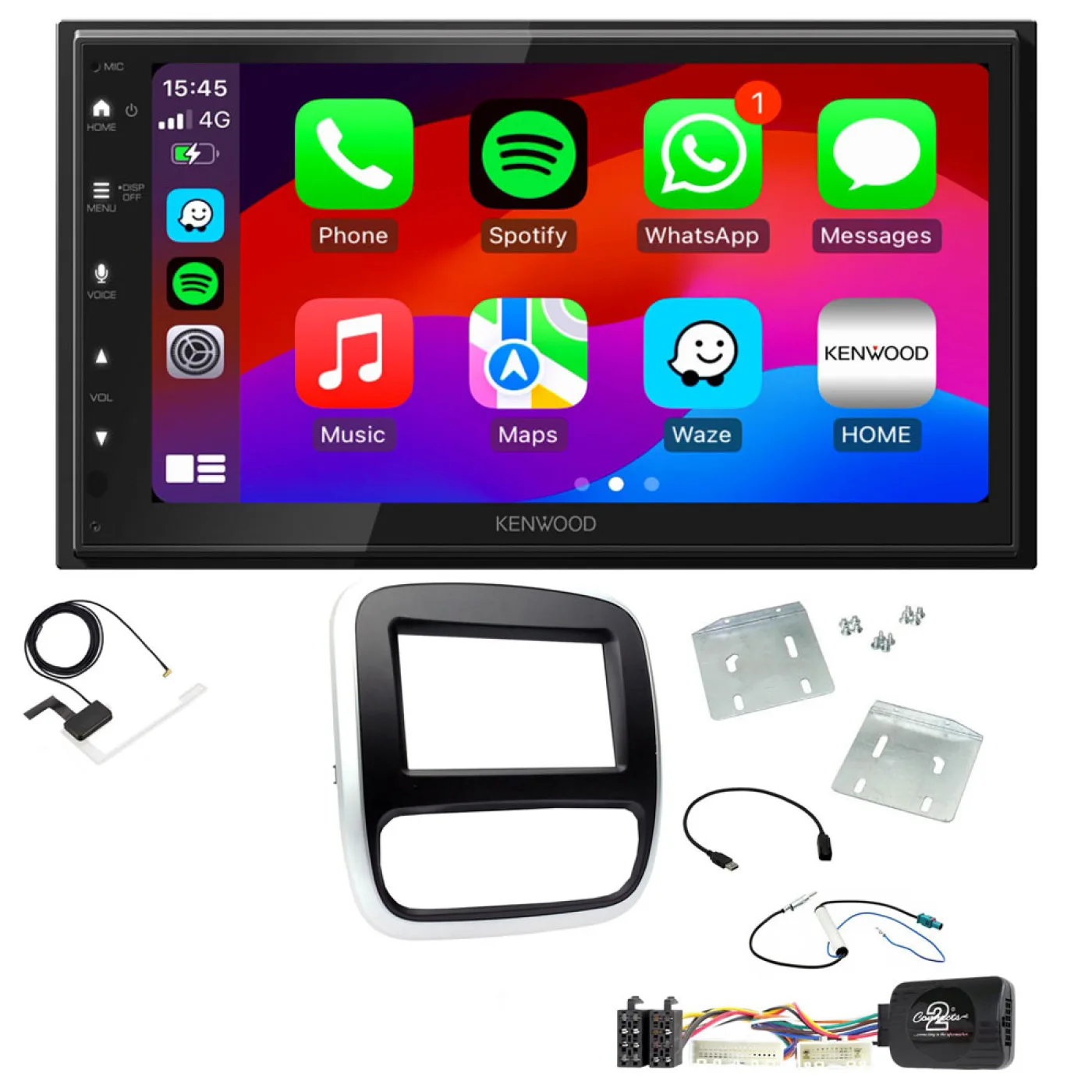
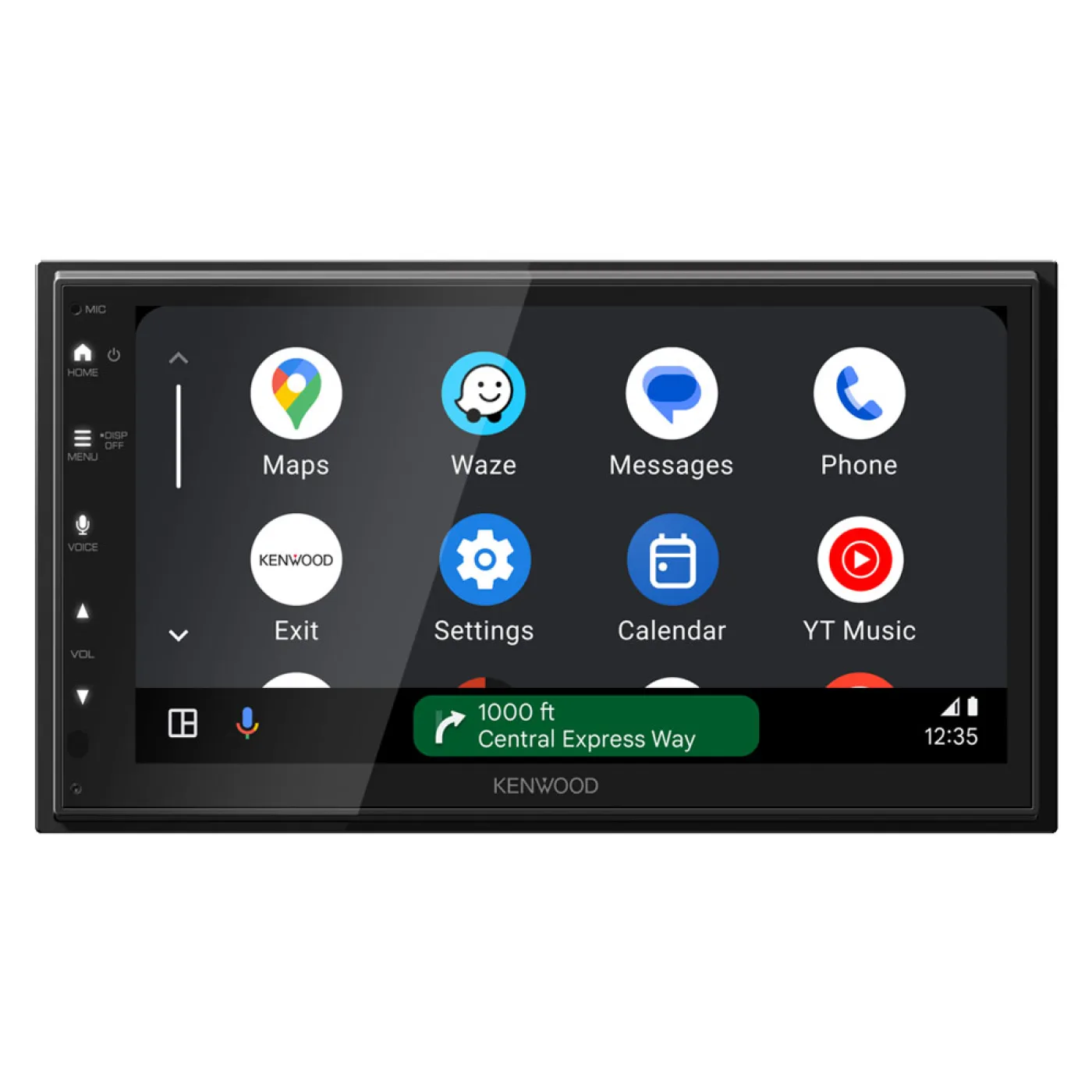
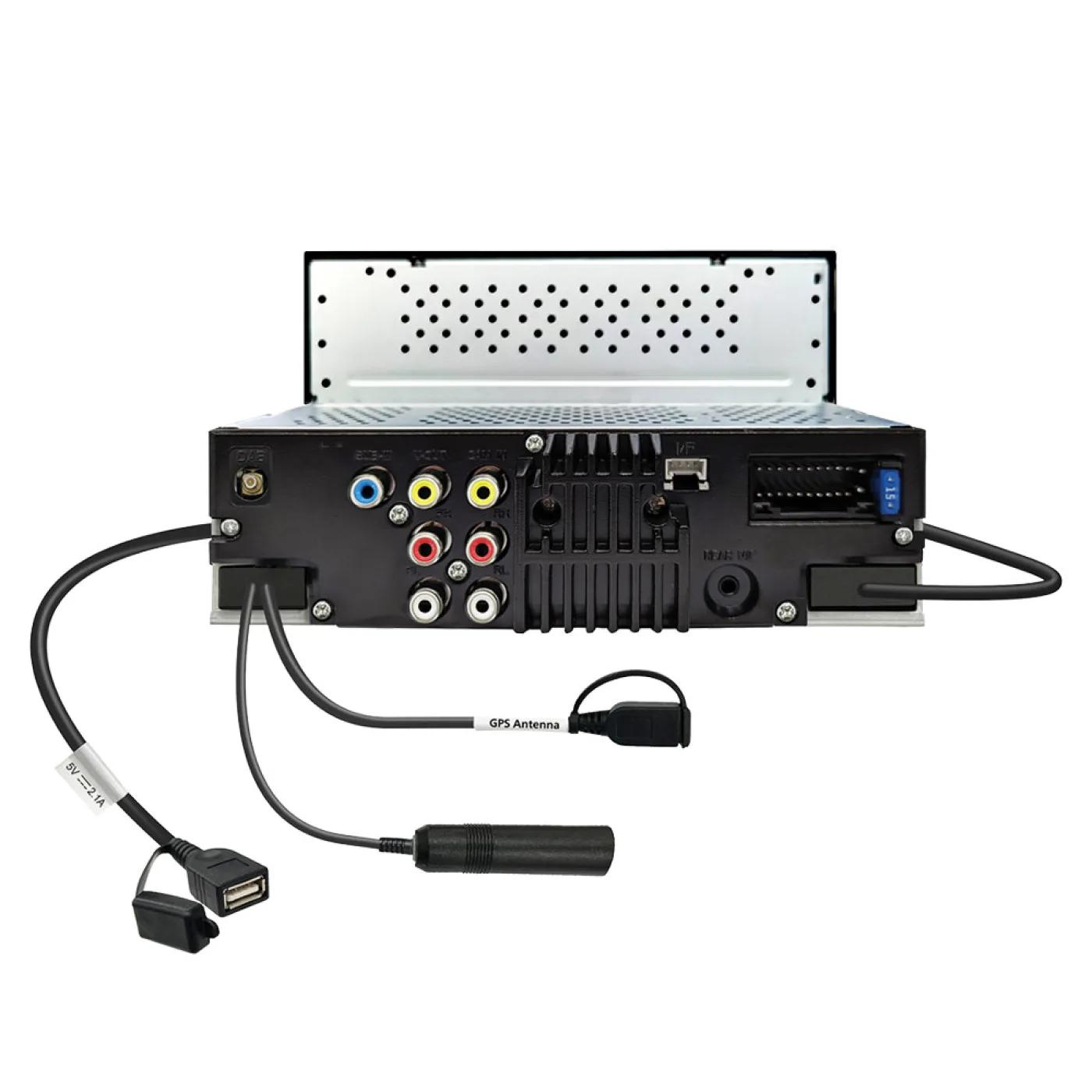

Vauxhall Vivaro 2014-2018 Kenwood Wired Android Auto / CarPlay Bluetooth DAB+ Stereo Upgrade Pack
- Availability:In Stock
- Available:9 in stock
- Item Condition:New
- Brand:Kenwood
- Product Code:DMX5023DABS + Aerial + CTKVX38
- EAN / UPC:7427282699365
- Warranty:1 Year Warranty
Package Includes
- Kenwood DMX5023DABS 6.8" WSVGA Display Bluetooth Double Din DAB Radio Wired Android Auto / CarPlay
- DAB Aerial
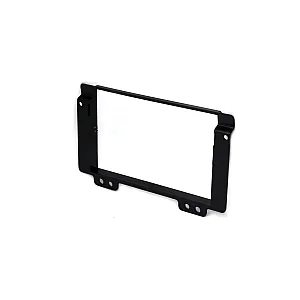
- Double DIN Fascia (Black/Silver)
- Steering Wheel Control Interface
- USB Retention lead
- Fakra Antenna Adaptor
- Stereo Patch Lead
Product Compatibility Chart
| Make | Model | Years | Notes |
|---|---|---|---|
| Vauxhall | Vivaro | 2014 - 2018 |
Not suitable for vehicles with the sat nav system.
ON SOME LATE VEHICLES AROUND 2018 AND NEWER YOU MAY NEED TO MANUALLY WIRE IN A SEPARATE IGNITION LIVE FEED AS THESE VEHICLES MAY NOT NATURALLY HAVE THIS SUPPLY WITHIN THE ORIGINAL RADIO PLUGS LIKE THE OLDER MODELS HAD.
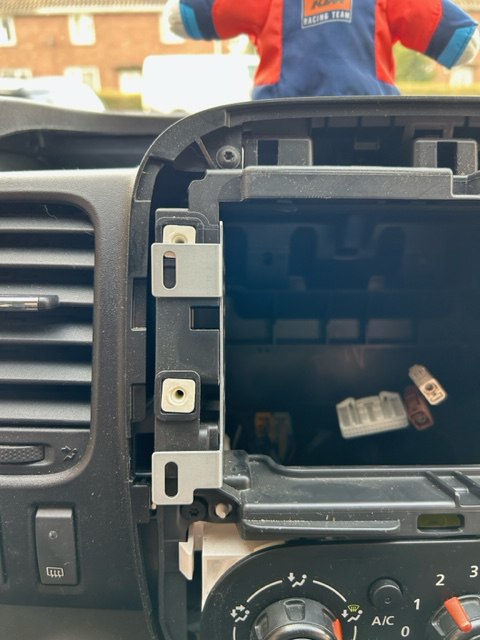
USE THE ORIGINAL TOP ORIGINAL SCREW POSITION FROM THE VEHICLE FOR THE TOP OF THE BRACKET AND FOR THE LOWER POSITION YOU NEED TO DRILL A NEW PILOT HOLE
SOME VEHICLES WITH STOP START FEATURE WILL REQUIRE AN INTERFACE TO BE INSTALLED INLINE WITH THE POWER ISO PLUG OF THE NEW STEREO.
THE INTERFACE WILL ALLOW THE UNIT TO STAY POWERED WHEN THE VEHICLE ENGINE SHUTS DOWN AND RESTARTS.
IF YOU ARE EXPERIENCING THIS WITH YOUR NEW INSTALLATION YOU WILL NEED A 10-603 ADAPTER IN ADDITION TO THE FITTING KIT.
Part in question is:
Fitting kit
Fascia Adaptor
This adaptor will convert the non din-sized aperture left after removing the factory stereo to a din size ready for head unit installation. The high quality finish, colour and texture are designed specifically to maintain the original look of your vehicles interior.
Steering Wheel Interface
A stalk/steering wheel control adaptor allows you to upgrade to an aftermarket head unit whilst maintaining use of your factory steering wheel controls or fitted on a stalk next to the steering wheel.

Aerial Adaptor
An Aerial Adaptor is needed when replacing the original factory fitted head unit with an aftermarket head unit.
DMX5023DABS 2DIN Digital Media AV Receiver with 6.8 inch High Res WSVGA Display, DAB Tuner and Enhanced Smartphone Connections.
Key Features
- Wired Apple CarPlay® & Android Auto™ - Connect via USB
- Wired iPhone / Android USB Mirroring
- 6.8" WSVGA Display with Capacitive Touch Panel
- Built-in DAB+ Digital radio Tuner
- Built-in Bluetooth® Handsfree Calling & Audio Streaming
- High Current 2.1A Charging USB port.
- Front & Rear + Subwoofer (Mono) Preouts - 2.5V
- 13 Band EQ & Digital Time Alignment
- Rear View Camera Input with Parking Guidelines
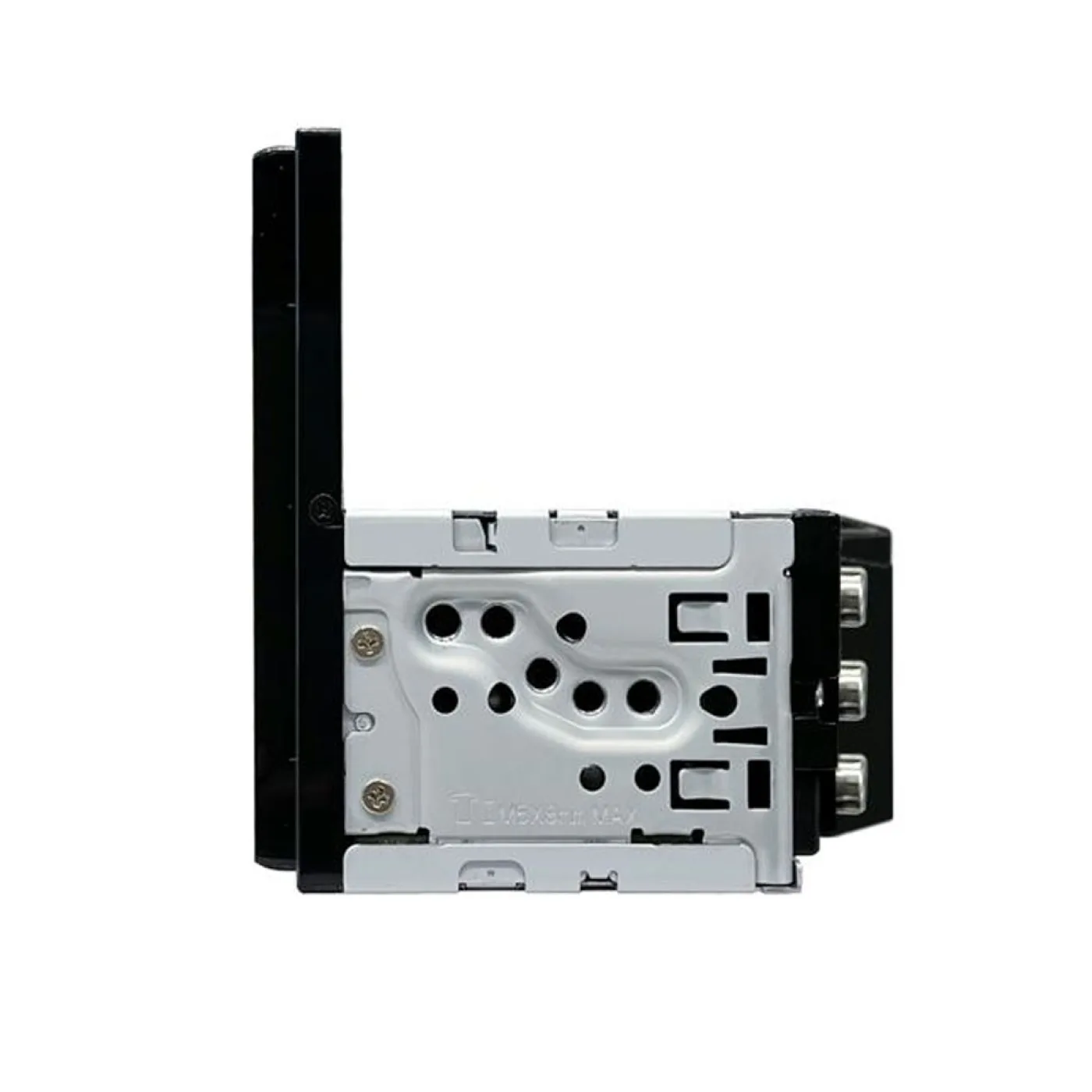
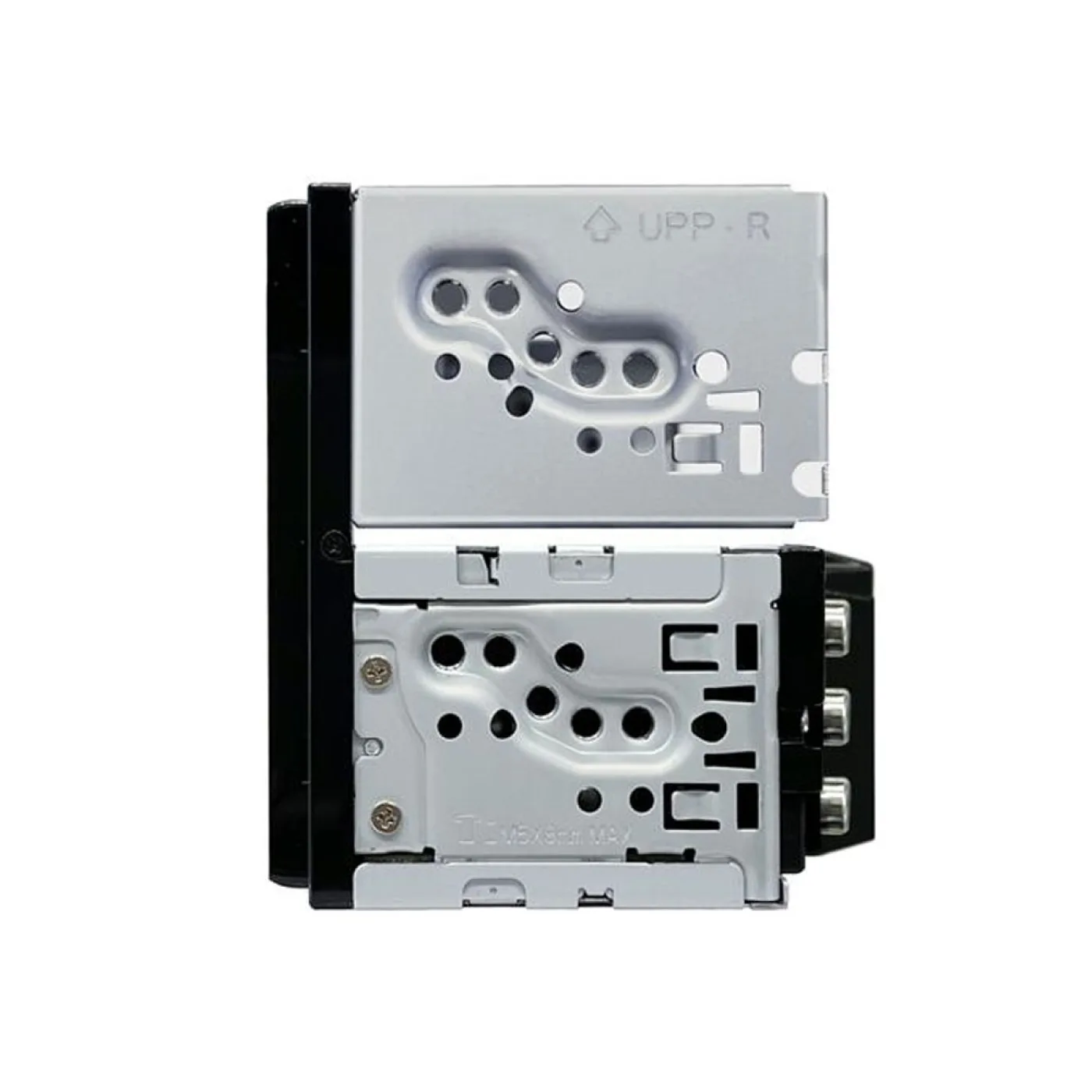
- Single DIN Short Chassis Design for easy installation
Specifications
General Features
- DIN Size 2 DIN
- Smooth GUI
- Selectable GUI Background Wallpaper
- Key Illumination White color
- Attenuator with Smooth Volume Return
- Touch Sensor Tone
- Optional IR remote controller , (KNA-RCDV331)
- Digital Clock (24H)
- Built-in Bluetooth
- DAB Tuner Built-in
- Made for iPhone
- Works with Apple CarPlay
- Works with Android Auto
- USB Mirroring for iPhone / Android
- Firmware upgreadable
Monitor Features
- Screen Type 6.8" Wide SVGA
- Display Type Glare
- Display Panel Capacitive
- Display film Anti Fingerprint
- High Resolution WSVGA Screen 1024 x 600 pixel
- LCD backlight White LED
- Display Mode 3 Mode (Normal(default) / 16
- 9 / 4:3)
- Screen Adjustments Brightness / Tint / Color / Contrast
- Dimmer function Manual/Sync
- Dimmer Level Auto/On/Off
- Visual Source Mode Mirorring / CarPlay / Android Auto.
- Mechanism type Fixed
- NTSC/PAL judge (Auto)
- Display Off Mode
Multimedia GUI Features
- OSDC Type Graphic
- Menu text 14 languages:
- English(UK)(Default)
- English(US)
- Spanish
- French
- German
- Italian
- Dutch
- Portuguese
- Arabic
- Hebrew
- Greek
- Polish
- Czech
- Hungarian
- Demonstration Mode
- Top Menu Customize
- Opening Screen Type standard
- Background Customize 6 x presets + 2 x user set
- R-CAM interrupt
- R-CAM Parking Guide Lines, Built-in, customizable
Tuner Features
- FM Reception
- AM (MW/LW) Reception
- Tuning mode Auto1/Auto2/Manual
- Up/Down Seek/Scan
- Tuner Presets (FM/AM) 36 Presets (24FM / 12AM)
- Automatic Memory Entry (AME)
- Radio Data System
- Radio Text Plus
- Traffic Information
- Local search
- AF Regional Selectable
- AF/AF Reg/OFF
- Enhanced Other Networks Function (EON)
- Program Type Function (PTY)
CE DAB Tuner Features
- DAB+ tuner built-in
- Digital Radio Certification Mark
- Intelligent seek
- Tuning mode / Seek mode Auto1/Auto2/Manual
- Service preset 15 ch * 1 bank presets,
- Service list by alphabet order
- Alphabet Search
- DAB-DAB/DAB-FM auto switch
- Seamless DAB-FM blending
- DLS (Dynamic Label)
- PTY (Programme Type) search
- Announcement Switching (ASW) Select
- Slide Show
- Soft linking
- Antenna power supply on/off switch
Bluetooth General Features
- Hands Free Profile (HPF) Ver. 1.8
- Audio Streaming (A2DP), (SBC/AAC)
- Simple Secure Pairing (SSP)
- Phonebook Access Profile (PBAP)
- PBAP call history Up to 20 entries of dialed, received and missed calls
- Audio/Video Remote Control Profile (AVRCP), V1.6
- iPhone & Android automatic pairing via USB
- Private mode
- Interrupt call request
- Voice Control
- Noise Canceller
- Echo Canceller
- High-quality noise canceling microphone built-in
- Bluetooth firmware upgradeable, Included in system updates
Playable Audio File
- AAC (*.aac) files are playable USB
- MP3 files are playable USB
- WMA (.wma) files are playable USB
- WAV (.wav) files are playable USB
- FLAC files are playable USB
CE_Playable Video File
- MPEG1/2 files are playable USB
- MPEG4 files are playable USB
- WMV files are playable USB
- H.264 files are playable USB
- mkv files are playable USB
USB Features
- USB terminal, rear side / 1m cable / fix
- USB Type 2.0 High speed
- Drive Change
- File System FAT16 / FAT32 / exFAT / NTFS
- Tag Information Display
- Album Art Display
- Repeat Play Folder/File/All
- Random play Folder
- Category search
- Link Search
- Last Position Memory / Resume
- Time code display
- USB ports maximum output current 2.1A
iPhone Features
- Connection via
- USB / Bluetooth
- Plug & Play
- Made for iPhone
- Tag Information Display
- Time Code Display
- List Access
- Album art support
- Random Play
- Repeat Play
- Skip
- iAP over Bluetooth
- Works with Apple CarPlay via USB
Android Phone Control
- Connection via USB / Bluetooth
- Works with Android Auto Via USB
- Android Open Accessory Protocol (For Android Auto)
Audio Features
- Max. Output Power 4 x 50W
- Primary Power Output 4 x 22W
- Pre-out 2 RCA
- FRONT/REAR + SUB(mono)
- Pre-out Output Level 2.5V
- Volume Offset
- Volume Type DSP
- Built-in Amplifier Off
- Balance/Fader Control
- Beep On/Off
Multimedia DSP Features
- Position Preset 4 Presets
- Graphic Equalizer 13 bands
- G-EQ manual setting
- G-EQ adjustable level, +9db / -9dB
- Time Alignment 0 ~ 610cm
- HPF Cut Off Frequency 14 steps
- HPF Cut Slope Level 4 steps
- Low Pass Filter (LPF) (Non-Fading)
- LPF Cut Off Frequency 14 steps
- LPF Cut Slope Level 4 steps
- X'over
- Speaker Size Control
- Channel Level Control
- Loudness
- Tweeter volume
- Bass Boost
- Source Volulme Offset source independent
Connectivity
- DC-Cord 22pin to ISO
- Reverse sensor wire
- Parking sensor (handbrake) wire
- Power Control (P.CON) wire
- Dimmer control wire
- Preout 2 x RCA (Front/rear) + Sub (mono)
- AV-Input (Non Switchable) (Mini-jack) audio & video
- Video Out RCA x1 (Source
- USB)
- Rear View Camera Input Dedicated RCA Video-in
- GPS Aerial Input GPS antenna included
- FM Antenna Input JASO connector
- DAB Aerial input SMB
- External microphone input 3,5mm mini-jack
- OEM Wired Remote Control ready, Optional interface needed
- Learning Steering Remote Function
DMX5023DABS Quick Set Up Guide for Apple & Android Mirroring


iPhone Instructions
1. Download Mirroring App from the App store. Install the latest version of the “MirrorAPP+” on your iPhone.
2. Pair your iPhone with the unit via Bluetooth (search and select DMX5023DABS on your iPhone Bluetooth menu)
3. Connect your iPhone via the USB terminal
4. Launch Mirroring App on your iPhone
5. Touch [Screen Mirror] to start Mirroring App
6. Touch [Start Broadcast] to start capturing your iPhone screen
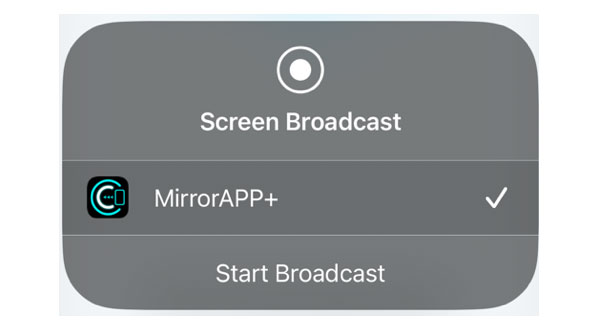
7. Wait 15 to 30 seconds until the screen calibration is complete. (First time only)
8. Touch [Close] to close the message.
9. Select ‘USB Mirroring’ on the DMX5023DABS
10. You should now see the iPhone screen on the DMX5023DABS
11. The app screen should look like the below after successfully connecting your iPhone
| Technical | |
|---|---|
| Android Auto | Wired Android Auto |
| Apple CarPlay | Wired Apple CarPlay |
| Dab Radio | Yes |
| Screen | 6.8" WSVGA Display with Capacitive Touch Panel. |
| Max. Power Output | 4 x 50W |
| Tuner | 36 Presets (24FM / 12AM) |
| Radio Data System | Yes |
| Button Illumination | White color |
| Bluetooth | Built-in |
| USB | Rear side / 1m cable / fix |
| Pre Out | Front & Rear + Subwoofer (Mono) Preouts - 2.5V |